Support for your people and business systems

Managed IT services

Networks, cabling and infrastructure, alongside day-to-day support for your staff and business systems.

Set up a new network, improve an existing one or get help with staff accounts, computers, servers and backups. We work with your team and specialist vendors to keep support organised.

Where do you need support?

Explore ongoing IT support and the connected systems at your premises.

Managed IT scope

What we support

Networks, cabling & infrastructure

Network installation and support, from structured cabling and Wi-Fi to gateways, firewalls, switches and routers.

  • Structured data cabling, network points, patch panels and equipment racks
  • Installation, configuration and maintenance of gateways, firewalls, switches and routers
  • Wi-Fi access points, VPN connections and separation of staff, guest and building-system networks
  • Network fault investigation, approved configuration changes and configuration backups
  • Network documentation, connection records and coordination with internet providers and equipment vendors
Discuss networks & cabling

Staff IT support

Help with the everyday IT problems that interrupt your team’s work, with clear ways to report an issue and follow its progress.

  • Troubleshooting for staff computers, email, printers and everyday software
  • Remote support and site visits within the agreed coverage
  • Ticket records, priorities and escalation contacts, with support hours agreed before service starts
Discuss staff it support

Accounts, email & access

Administration for Google Workspace and Microsoft 365, including the accounts and permissions people need to do their jobs.

  • Account setup, role changes and offboarding, with access approved by your organisation
  • Email, shared mailboxes, groups, licences and multi-factor authentication
  • Administrator access and account-ownership records, including who can approve changes
Discuss accounts & email

Computers & device management

Setup, maintenance and device policies for the computers and mobile devices included in your service agreement.

  • Laptop and desktop setup, device handover and an inventory of supported equipment
  • Operating-system and software updates, with planned changes and follow-up on failures
  • Device policies, encryption and endpoint management, including Microsoft Intune where used
  • Secure device disposal and removal of company data, with the method and approvals agreed
Discuss computers & devices

Servers & virtual infrastructure

Support for agreed servers and virtual environments, with a clear split between infrastructure work and the application vendor’s responsibilities.

  • Server and virtual-machine administration, including VMware environments where agreed
  • Health, storage and capacity checks, patching and planned maintenance
  • Coordination with hardware, hosting and application providers for faults and changes
Discuss servers & virtual systems

Backup & recovery

Backup arrangements that identify what needs protecting, how long copies are kept and how recovery will be checked.

  • Backup coverage and retention agreed for the systems and data included, including cloud data where agreed
  • Protected backup copies kept separately or off site, as set out in the backup plan
  • Backup-job checks and follow-up on failed or incomplete jobs
  • Documented targets for acceptable downtime and data loss, with planned restore checks and recovery procedures
Discuss backup & recovery

IT security & data handling

Practical support for access controls, device protection and security follow-up, with your organisation retaining approval over its systems and data.

  • Access reviews, multi-factor authentication and endpoint-protection administration
  • Security-alert review and escalation through the agreed incident-response process
  • Incident containment, notification to your organisation and recovery coordination within the agreed responsibilities
  • Records of access and changes, with data-handling responsibilities and authorised access agreed
Discuss it security & data

Business applications & vendor coordination

Follow-up across your software and service providers, so application faults, renewals and outstanding work have a clear owner.

  • Coordination with business-application vendors for support, changes and escalation
  • Subscription, licence and renewal records, with purchases and changes subject to your approval
  • Warranty, system-documentation and handover records for the services included
  • Support reports covering open issues, completed work, recurring faults and recommended next steps
Discuss business apps & vendors

Workplace and building equipment

AV, CCTV & connected systems

Support for meeting-room AV, CCTV and door access, including their network connections. We confirm the installation or maintenance work and coordinate with original vendors where needed.

Discuss connected systems
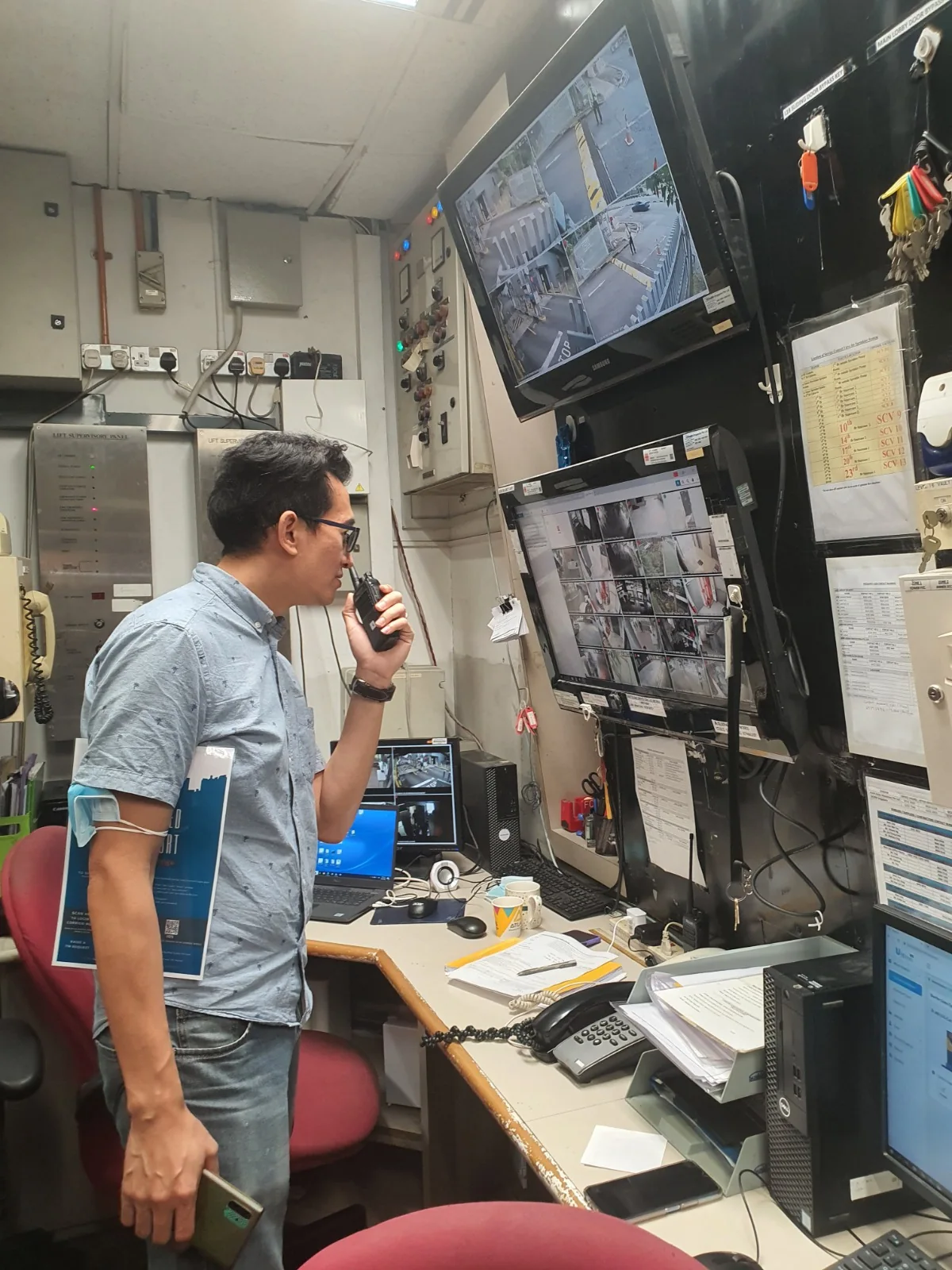
Operator at a desk with CCTV monitoring displays
CCTV and connected systems
  • Public-address and audio systems, microphones, amplifiers and accessories
  • Projectors, screens, displays and AV control equipment
  • Wi-Fi, network connections and structured cabling
  • Following up CCTV faults and arranging servicing
  • Door-access equipment, electromagnetic locks, biometric readers and autogate controls
  • Maintenance with specialist support for PABX telephone systems, hearing-assistance equipment, panic buttons and accessible-toilet emergency-call systems, where included in your service agreement

Before support begins

Taking over your IT support

We review your systems, providers and open issues, then agree support hours, escalation, maintenance windows, backups and reporting. Your organisation keeps ownership of its accounts and data and approves access and changes.

Talk to CCW

Tell us what your team needs

Start with the support you want to hand over and any problems you need to resolve.

  • Your approximate number of staff, devices and sites
  • The email platforms, servers and business applications involved
  • Existing providers, support hours needed and immediate concerns

consultant@ccwsg.com

Chat with CCW

Website analytics

Analytics is on by default. We count page views and contact actions without enquiry details. Microsoft Clarity records clicks and scrolling on selected pages with public content visible and analytics cookies disabled. Public page content and calculator results are visible. Clarity automatically hides typed input values. The Contact page is excluded from recordings. You can turn analytics off at any time.

We do not give Clarity permission for advertising. Privacy Policy · Cookies & storage